
Specifications






68 MDS 4790/9790 Series I/O Guide MDS 05-3438A01, Rev. E
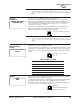
RX Mute Mode This screen is used to set or display the radio’s RX (receive) Muting status. RX
muting may be required when the radio is configured as a full-duplex polling remote
communicating through a repeater. RX muting prevents the radio from hearing its
own transmissions (“echoes”), which can cause errors in some software
applications. The default RX Mute time is 5 milliseconds. This cannot be changed
from the front panel, but may be changed using RXMUTE nn command from a PC
interface (see icon below).
To change the RX Mute status, press ENTER, then use the up/down arrow buttons
to select ENABLE (RX Mute on) or DISABLE (RX Mute off). Press ENTER again
to make the change.
Continuous
Keying
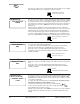
This screen is used to set or display the radio’s keying mode (continuous or
non-continuous keying). Typically, a master station is set for continuous keying. If
continuous keying is disabled, the radio needs to be keyed with Pin 4 (RTS) of the
interface connector.
To change the keying mode, press ENTER, then use the up/down arrow buttons to
select ENABLE (continuous keying) or DISABLE (non-continuous keying). Press
ENTER again to make the change.
Manual Key This screen is used to manually key or dekey the transmitter. The transmitter state
can be displayed by selecting Transmitter Status from the Diagnostics menu
(Page 74).
To key the transmitter, press ENTER, then use the up/down arrow buttons to select
ENABLE (manual keying). Press ENTER again to key the transmitter.
To dekey the transmitter, press ENTER, then use the up/down arrow buttons to
select DISABLE (manual de-keying). Press ENTER again to dekey the transmitter.
Multi-Drop
Address (MADDR)
The radio’s Multi-Drop Address uniquely identifies this radio on an RS-232 COS
(code-operated switch) bus connected to the rear panel’s DIAGNOSTIC PORT, J1.
The unit’s address initially is set as NONE, for a computer directly connected to the
DIAGNOSTIC PORT of one radio. MADDR addresses can range from 1...255. The
master station will ignore diagnostic messages sent to other Multi-Drop Addresses.
With the MADDR address programmed, MDS’ InSite™ network management
system program can poll master stations through the COS bus to receive
diagnostic information of the master unit itself. The MADDR command will work on
MDS x790 master stations with software version 1.7 or later installed. For more
details, please see “Connecting Multiple Masters at One Site” on Page 30.
NOTE: The Multi-Drop Address is not the same as the radio’s Unit Address
described below.
RR
RR
XX
XX
MM
MM
uu
uu
tt
tt
ee
ee
MM
MM
oo
oo
dd
dd
ee
ee
dd
dd
ii
ii
ss
ss
aa
aa
bb
bb
ll
ll
ee
ee
dd
dd
RXMUTE [ON/OFF/Time
in msec] command,
Page 49
CC
CC
oo
oo
nn
nn
tt
tt
ii
ii
nn
nn
uu
uu
oo
oo
uu
uu
ss
ss
KK
KK
ee
ee
yy
yy
ii
ii
nn
nn
gg
gg
ee
ee
nn
nn
aa
aa
bb
bb
ll
ll
ee
ee
dd
dd
CKEY [ON/OFF] command,
Page 40
MM
MM
aa
aa
nn
nn
uu
uu
aa
aa
ll
ll
KK
KK
ee
ee
yy
yy
dd
dd
ii
ii
ss
ss
aa
aa
bb
bb
ll
ll
ee
ee
dd
dd
KEY command, Page 44
DKEY command, Page 41
MM
MM
AA
AA
DD
DD
DD
DD
RR
RR
11
11
33
33
44
44
MADDR [NONE, 1–255]
command, Page 44