
Specifications






MDS 05-3438A01, Rev. E MDS 4790/9790 Series I/O Guide 71
Receive Level [–20
to +3]
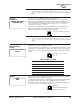
This screen is used to set or display the radio’s audio receive level when the radio
is operating as an analog device. The audio receive level can be set from –20 to +3
dBm.
To change the audio receive level, press ENTER. You do not need to use the
left/right arrow buttons to select a digit. Instead:
To increase the receive level, press the up or left arrow button ( ).
To decrease the receive level, press the down or right arrow button ( ).
Press ENTER again to make the change.
(Operable only on the “A”/analog model radios.)
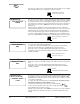
Transmit Gain This screen is used to enable or disable the transmit audio boost for the transmit
audio level. (Operable only on the “A”/analog model radios.)
Receive Pad This screen is used to enable or disable the receive attenuator for the receive audio
level.
Alarm Masks This screen is used to display hexadecimal codes which specify whether each
alarm event will cause:
• an alarm output relay to be asserted
•a radio switch-over.
The screen also displays the alarm sense setting. For an explanation, or to change
the alarm masks, see the following PC commands:
Display Contrast This screen is used to set the intensity of the front panel display’s foreground
characters. Making the characters darker may aid the clarity of the front panel
display when viewed from an angle.
The bar display indicates the relative intensity of the foreground characters, with ‘0’
being faint characters and ‘100’ being dark characters.
To change the selection, press ENTER, then use the left/right arrow buttons to
move the bar display to the desired setting. The screen changes dynamically to
show the effects of the change. Press ENTER again to set the change.
TXLEVEL [–20 to +3, AUTO]
command, Page 55
RR
RR
ee
ee
cc
cc
ee
ee
ii
ii
vv
vv
ee
ee
LL
LL
ee
ee
vv
vv
ee
ee
ll
ll
--
--
11
11
dd
dd
BB
BB
mm
mm
RXLEVEL [–20 to +3] command
Page 49
TT
TT
rr
rr
aa
aa
nn
nn
ss
ss
mm
mm
ii
ii
tt
tt
GG
GG
aa
aa
ii
ii
nn
nn
dd
dd
ii
ii
ss
ss
aa
aa
bb
bb
ll
ll
ee
ee
dd
dd
TXGAIN [ON/OFF] command,
Page 55
RR
RR
ee
ee
cc
cc
ee
ee
ii
ii
vv
vv
ee
ee
PP
PP
aa
aa
dd
dd
dd
dd
ii
ii
ss
ss
aa
aa
bb
bb
ll
ll
ee
ee
dd
dd
RXPAD [ON/OFF] command,
Page 50
AA
AA
ll
ll
aa
aa
rr
rr
mm
mm
MM
MM
aa
aa
ss
ss
kk
kk
ss
ss
MM
MM
aa
aa
jj
jj
oo
oo
rr
rr
FF
FF
FF
FF
FF
FF
FF
FF
00
00
00
00
00
00
00
00
MM
MM
ii
ii
nn
nn
oo
oo
rr
rr
00
00
00
00
00
00
00
00
FF
FF
FF
FF
FF
FF
FF
FF
AA
AA
ll
ll
aa
aa
rr
rr
mm
mm
SS
SS
ee
ee
nn
nn
ss
ss
ee
ee
ii
ii
ss
ss
HH
HH
II
II
AMASK [0000 0000–FFFF
FFFF] command, Page 37
ASENSE [HI/LO] command,
Page 37
DD
DD
ii
ii
ss
ss
pp
pp
ll
ll
aa
aa
yy
yy
CC
CC
oo
oo
nn
nn
tt
tt
rr
rr
aa
aa
ss
ss
tt
tt
00
00
55
55
00
00
11
11
00
00
00
00