
Specifications






72 MDS 4790/9790 Series I/O Guide MDS 05-3438A01, Rev. E
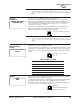
Backlight Intensity This screen is used to set the brightness of the front panel display’s background.
Making the screen background brighter or dimmer may aid the clarity of the front
panel display when viewed under different light conditions.
The bar display indicates the relative brightness of the screen background, with ‘0’
being dim and ‘100’ being very bright.
To change the selection, press ENTER, then use the left/right arrow buttons to
move the bar display to the desired setting. The screen changes dynamically to
show the effects of the change. Press ENTER again to set the change.
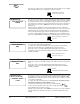
Set Owner Name This screen is used to set or display text (up to 20 characters) to appear on the
radio’s start-up screen, such as the system name.
Press ENTER to display a scrollable line of characters at the bottom of the screen.
An underscore (_) is used to select a character for the owner name (Figure 31). A
caret (^) shows the current character position.
• Press the up arrow button to move the underscore to the left until it is
under the first character of the owner name. As you scroll to the left, the
character under the underscore appears above the caret.
• Press the right arrow button once to move the caret to the next character
position to the right.
• Press the up or down arrow buttons to move the underscore to the next
character.
• Continue in this way, using the up/down arrow buttons to move the underscore
to a character, then pressing the right arrow button to move to the next
character position.
• Press ENTER to save the owner name.
Figure 31. Setting the Owner Name and Message
Set Owner
Message
This screen is used to set or display text (up to 20 characters) to appear on the
radio’s start-up screen, such as the site name. See the Set Owner Name command
and Figure 31 above for instructions.
BB
BB
aa
aa
cc
cc
kk
kk
ll
ll
ii
ii
gg
gg
hh
hh
tt
tt
II
II
nn
nn
tt
tt
ee
ee
nn
nn
ss
ss
ii
ii
tt
tt
yy
yy
00
00
55
55
00
00
11
11
00
00
00
00
nn
nn
nn
nn
nn
nn
nn
nn
nn
nn
nn
nn
nn
nn
nn
nn
nn
nn
nn
nn
SS
SS
ee
ee
tt
tt
OO
OO
ww
ww
nn
nn
ee
ee
rr
rr
NN
NN
aa
aa
mm
mm
ee
ee
^^
^^
__
__
!!
!!
””
””
##
##
$$
$$
%%
%%
&’’
’’
((
((
))
))
**
**
+,,
,,
--
--
..
..
//
//
00
00
11
11
22
22
33
33
OWN [xxxxx] command, Page 46
Twenty-character text line
Use up and down
arrow buttons to move
the underscore (_) left
and right
Use left and right
arrow buttons to move
the caret (ˆ) left and right
SS
SS
ee
ee
tt
tt
OO
OO
ww
ww
nn
nn
ee
ee
rr
rr
MM
MM
ee
ee
ss
ss
ss
ss
aa
aa
gg
gg
ee
ee
OWM [xxxxx] command,
Page 46