
User's Manual





megascan M1
User Manual Rev. 1.0 Updated on 28th
August, 2009
Technical Contacts and Enquiry: sales@scanmega.com Website: www.scanmega.com
(This user manual / product specification is subjected to be changed without prior notice) P.
10
Chapter 2 Installation of megascan M1
2.1 Power up megascan M1
This section explains how to set-up megascan M1 and connect the megascan M1 to your
network and antenna:
- Choose the PoE feature router/switch and compliance with IEEE std.
802.3af-2003, and connect with Cat.5 and higher infrastructure cable,
- Antenna port is standard SMA Jack(female), the RF cable/antenna connector
should be standard SMA Plug(male),
- megascan M1 operates at UHF frequency band, ranging from 865MHz to 928MHz
(ETSI 865-868 MHz, FCC 902-928 MHz, SRRC 920-925 MHz and NCC 922-928
MHz); the setting depends on countries’ regulations.
- Choose the right frequency band UHF antenna for your application.
2.2 Environmental Requirements
The next table includes environmental requirements for the megascan M1. Choose a
location that meets these requirements.
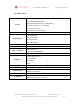
Description Minimum Maximum
Operating temperature 0ºC 55ºC
Storage temperature -40ºC 85ºC
Humidity (non-condensing) 10% 90%