
User`s manual

5
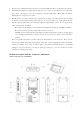
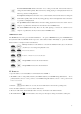
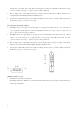
Track down/Rewind button: Press the button once to select previous track, hold down the button to
change the track number quickly; Hold down the key during playing to rewind playback, release the
button to go back to normal playback.
Track up/Forward key: Press the button once to select next track, hold down the button to change the
track number quickly; Hold down the key during playing to fast forward playback, release the button
to go back to normal playback.
Vol. up/ Manual selector button: Press the button during playback to increase the volume level of
earphone or speaker; Press this button for item selection when in MENU mode.
Vol. down/ Manual selector key: Press the key while playing to decrease the volume level of
earphone or speaker; Press the key for item selection in MENU mode.
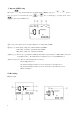
MODE button control
The MODE button is used to provide additional functions. To operate a MODE function, press the MODE button
first (the LCD will show MODE) and then press the desired function button immediately to operate the MODE
function. Here is a description of the mode functions:
+
Memory selection: use this function to select the internal flash memory (F) or the SD card
(C) memory as record target and playback source.
+
Delete tracks function
+
Folder 1 or Folder 2 select mode function
+
Group number: decrease the selection function
+
Group number: increase the selection function
IV. Power on
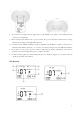
1. Open the battery cover and install two new AA batteries into the PDR-1.
2. The PDR-1 works on both primary batteries (and Alkaline batteries) and Ni-MH rechargeable batteries. To use
primary batteries, select to “1.5V” position; to use Ni-MH rechargeable batteries, select to “1.2V” position of the
battery select switch.
3. Hold the button still for two seconds, the device will switch on and enter the operating mode.
4. Press the button still for two seconds to switch off the device.
5. The device will switch off automatically if there is not any other button control after 5 minutes.
6. The LCD will show “ ” when the batteries are at low power level, please change new batteries at this point.