
User`s manual

6
V. Operate MENU setup
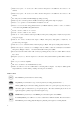
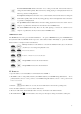
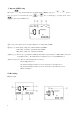
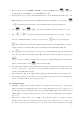
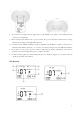
When press key, the LCD will show up all main items of MENU setup, press or keys to
move to previous or next main items, press or keys to interchange to secondary items. Press
key again to leave MENU mode.
○1 Recording format: There are two formats available for recording, WAV and MP3.
○2 Sample rate: WAV (16bit), sample rate: 8/16/22/24/32/44.1/48/96KHz
WAV (24bit), sample rate: 8/16/22/24/32/44.1/48KHz
MP3 (16bit), sample rate : 16/22/32/44.1/48 KHz
○
3
REP (repeat): there are two repeat functions, REP (the track will be repeated always) or REP All (the device will
repeat all the tracks). The LCD will show nothing if user does not select REP function.
○
4
BL (back light time): There are four back light time for selection
ON (back light always on)
10s (turn the back light off if there is not any other button control after 10 sec)
20s (turn the back light off if there is not any other button control after 20 seconds)
OFF (no back light)
VI. Recording
How to record