
Operation Manual

MI 3310 / MI 3310A SigmaGT Main menu and test modes
42
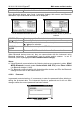
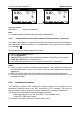
Keys in password menu:
Alphanumeric keys Entering password.
ENTER
Accepts the password* and returns to Setup menu.
ESC
Discards modifications and returns to Setup menu.
Please take a note of this password and keep it in a safe place.
Notes:
If there is no password protection, the instrument will request that you enter a new
password twice, once to confirm.
If the instrument is already password protected, then the instrument will request the
old password before entering the new one twice, once to confirm.
To disable the password protection, instead of entering a new password just press
the ENTER key when asked for a new password and confirmation and the password
will be disabled.
Contact your dealer if password is forgotten.
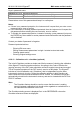
Password protected actions:
- Entering Edit user menu,
- Editing measurement parameters in single / autotest custom test mode,
- Deleting stored results,
- Entering Original settings menu.
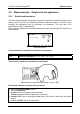
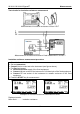
4.2.8.10 Calibration unit – checkbox (optional)
The in-built Checkbox provides a simple and effective means of checking the calibration
of the SigmaGT instrument and accessories. According to the Code of Practice the
ongoing accuracy of the PAT tester should be verified at regular intervals and recorded.
This is of special importance if the PAT tester is used on a daily basis. The SigmaGT
includes an in-built calibration unit (‘Checkbox’) that is independent from the other
instrument’s electronic circuitry. During the calibration with the in-built Checkbox all
main instrument functions and accessories can be verified. The calibration results are
automatically stored into the instrument’s memory and can be viewed with the PATLink
PRO PC software.
Note:
The Checkbox feature should be used to ensure that the meter is reading
correctly between calibrations but should not be regarded as a substitute for a
full manufacturers calibration on the unit.
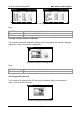
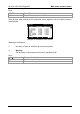
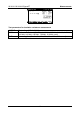
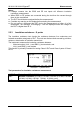
The Checkbox starting screen is displayed first. In the REFERENCE column the
Checkbox reference values are displayed.