
User`s manual



iv MS-Connect 210 User’s Manual
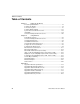
Table of Contents
Table of Contents
Chapter 1 Setting Up the Device
Check Required Hardware ...................................................................... 1-2
Configure the Display.............................................................................. 1-4
Connect the System ................................................................................ 1-5
Configure Output Settings..................................................................... 1-13
Cycle Power to the MS-Connect 210 .................................................... 1-18
Install ESP............................................................................................. 1-19
Select and Identify the MS-Connect 210............................................... 1-20
Chapter 2 Using Ethernet
Power-On the System ............................................................................. 2-2
Select and Identify the MS-Connect 210................................................. 2-3
Set Network Parameters ......................................................................... 2-4
Set COM Port Parameters ...................................................................... 2-6
Select Reader Model and Connect ......................................................... 2-7
Configure the Connected Reader............................................................ 2-8
Configuring the Ethernet Port.................................................................. 2-9
Ethernet Port Custom Features............................................................. 2-11
Ethernet Port Operation ........................................................................ 2-14
EtherNet/IP Serial Interface (Class 0x68) ............................................. 2-15
Input (T –>O) Assembly Object (Class 0x04, Instance 0x64) ............... 2-18
Output (O –>T) Assembly Object (Class 0x04, Instance 0x65)............. 2-18
Configuration Assembly Object (Class 0x04, Instance 0x80)................ 2-18
Service-Object Summary ...................................................................... 2-18
RSLogix Examples................................................................................ 2-19
EIPScan Examples................................................................................ 2-21
TFTP Services....................................................................................... 2-22
Appendices
Appendix A General Specifications .........................................................A-2
Appendix B Electrical Specifications .......................................................A-4
Appendix C Data Flow Between Ports ....................................................A-6
Appendix D Star Network Topology ........................................................A-7
Appendix E Interface Standards..............................................................A-8
Appendix F DIN Rail Mounting................................................................A-9
Appendix G Glossary of Terms .............................................................A-10