
User Guide
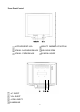
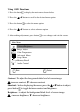


Language Select : allows the user to choose from available languages.
OSD Position : Press the button to select the horizontal or vertical OSD position.
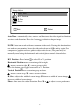
Horizontal OSD Position horizontally repositions all OSD screens. moves OSD
right, ▼moves OSD left.
Vertical OSD Position vertically repositions all OSD screen. moves OSD up, ▼
moves OSD down.
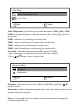
OSD Timeout sets the length of time the Onscreen Display screen is displayed
before exiting.
Memory Recall : Return the adjustments back to factory settings. Press the button
to select the Memory Recall menu option.
*This menu is only available for monitors with the audio option.
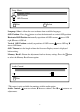
Audio Control : increase volume, ▼decrease volume. Press▼or button to set
adjustments.
8
Audio Control
1 Exit
-:
+:
2 Select1 Exit
Setup Menu
Language Select
OSD Position
OSD Temeout
OSD