
User guide
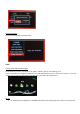

Screen Saver
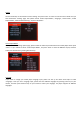
If you need to choose a different screen saver time, please choose “Screen Saver” and press the Enter key. You can
now select the required language on the right of the screen.
Audio Output Mode
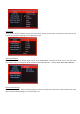
To select a different audio output mode, choose “Audio Output Mode” and press the Enter key. You can now select
your desired mode. The output list will be switched in the following order: Normal, SPDIF LPCM, SPDIF RAWDATA
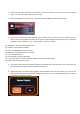
Restore Default Setting
You just need to choose “Restore Default Setting” and press the Enter key. There will be a text prompt to ask if you
want to restore default setting, you can choose yes or no.