Operating Instructions
Manuals
Brands
Mio Manuals
GPS
Mio C720t
101
102
103
104
105
106
107
108
109
110
96
11.4
Screen
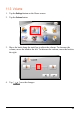
You can calibrate the touch screen if it is
not responding accurately to your taps.
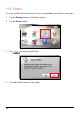
1.
Tap the
Settings
button on t
he Home screen.
2.
Tap the
Screen
button.
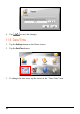
3.
Tap
to start the calibration.
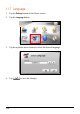
4.
Tap and hold the centre of the target.
1
...
...
104
105
106
107
108
...
...
146