
Operating Instructions


105
12 MioTransfer
12.1 Installing MioTransfer
MioTransfer allows you to easily transfer data such as MP3 and photos between
your device and a computer. To install MioTransfer to your computer:
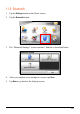
1. Turn on your computer and insert the supplied CD/DVD into the
CD/DVD-ROM drive of your computer.
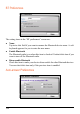
2. When the language selecting screen appears, click the language that you wish
to install from.
3. Click
Install MioTransfer.
4. Click
Next. Follow the onscreen instructions to complete the installation.
NOTE: If MioTransfer has already been installed on your computer, clicking Install
MioTransfer will remove the application from your system.