
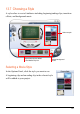
Operating Instructions


127
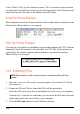
4. Click Next.
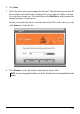
5. Select the drive name representing the SD card. The pull-down menu lists all
the available removable disk(s) connected to your computer. Make sure that
you select the correct one. You should not select
Mio Device, which means the
internal memory of your device.
In case you connect the device or card reader after POI Loader starts, you can
click
Search to refresh the list.
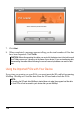
6. Click
Browse to select the folder containing the source files.
NOTE: You can only specify the folder, not the file. All valid files in the selected folder will be
loaded.