
Operating Instructions


47
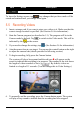
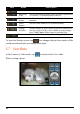
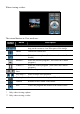
When viewing a video:
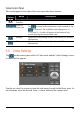
The control buttons in View mode are:
Control
Button
Name Description
Zoom * Zooms in or out on the image. When zoomed in, you can
drag on the screen to view other parts of the image.
Delete Deletes the current file.
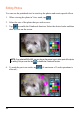
Edit * Edits the current photo. (See the next sub-section for
details.)
Pictures * Starts the Pictures program. (This closes the Camera
program.)
Videos ** Starts the Videos program. (This closes the Camera
program.)
Previous/
Next
Goes to the previous or next file.
/
Play/Stop ** Starts or stops video playback.
Display * Enables or disables the display of file information.
Camera Returns to the Camera/Video mode.
Exit Closes the program and returns to the Home screen.
Table Notes:
* Only when viewing a photo.
** Only when viewing a video.