
Operating Instructions




69
7.4 Connecting a Bluetooth Headset
Connecting a Headset for the First Time
1. Make sure that the headset to connect is a stereo Bluetooth headset.
2. Tap
Stereo on the Home screen.
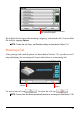
If the Bluetooth radio is currently off, a message will pop up asking you to
turn on the Bluetooth radio. Tap
Yes to proceed.
NOTE: When necessary, you can turn off the Bluetooth radio on your device. (See Section
11.8 for information on Bluetooth settings.)
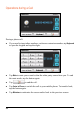
3. The program will search for nearby Bluetooth headsets if this is the first time
you try to connect a headset.
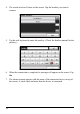
NOTE: If no device is detected, the screen shows the shortcut menu. (See the shortcut
descriptions later in this section.)