
Operating Instructions



76
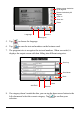
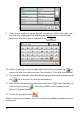
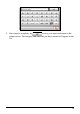
9. If any text or number is not recognized correctly in a field on the right, you
can edit it by tapping the field and then entering the correct content in the
input area. When the input is completed, tap
.
10. If there is missing or incorrect data that needs to be re-scanned, tap
to
choose the area you wish to re-scan. (See Section 8.3 for more information.)
11. If you wish to manually enter information not provided on the business card,
tap
. (See Section 8.4 for more information.)
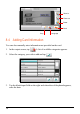
12. Once all the information is correct and ready, check (
) the fields that you
wish to export, and tap
. The selected data will be exported to the
device’s Contacts database.
13. To exit the program, select
.
When you next start Contacts, you will see the newly added information in your
contacts list.