
User`s manual

146
4.13 Frequency Measurement Function
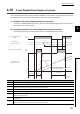
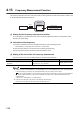
The frequency measurement function is the function that counts the pulses of the pulse input terminals in phase A and
B, and automatically calculates the frequency.
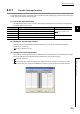
(1) Setting for the frequency measurement function
To use the frequency measurement function, select "Frequency Measurement Mode" in the "Operation mode
setting" in the switch setting.
(2) Calculation of the frequency
The frequency measurement function calculates the frequency from the following formula.
• Frequency(Hz) = Count value per a unit of time A unit of time
So when the count value per a unit of time is 0, the frequency becomes 0(Hz).
Also the value of the frequency becomes negative at subtraction count.
(3) Setting of the unit of time for frequency measurement
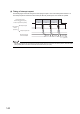
Set a unit of time to CH1 Time unit setting (frequency measurement) (Un\G1100).
● Whichever mode ("1-Phase Multiple of 2", "2-Phase Multiple of 2", or "2-Phase Multiple of 4") is set in "Pulse input mode"
in the switch setting, the frequency (Hz) is calculated based on the count value per a unit of time.
In case "1-Phase Multiple of 2" is set in "Pulse input mode" and the input frequency in phase A is 10kHz (10000 per
second), the measured frequency value becomes 20kHz since the pulse count is regarded as 20000 based on the
calculation below.
A Pulse count = 10000 (pulse)
× 2 = 20000 (pulse/s)
● When the count value per a unit of time is 0, the frequency becomes 0(Hz).
Also the value of the frequency becomes negative at subtraction count.
Setting item Setting contents Reference
CH1 Time unit setting (frequency measurement)
(Un\G1100)
Select a unit of time for the frequency measurement
from 0.01s, 0.1s, or 1s, and set it.
Page 80, Section 3.4.2 (41)
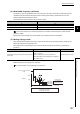
QD65PD2
Frequency
measurement
Encoder
CH1 Measured frequency value
(Un\G1132, Un\G1133)
Buffer memory
Pulses
Ex.