
User`s manual

189
CHAPTER 6 SETTINGS
6
6.5 Preset Setting
6.5 Preset Setting
Preset a value to be replaced with the count value.
(1) Setting method
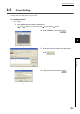
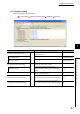
Go to "Preset".
1. Open "Module Selection (Preset)" dialogue box.
[Tool] [Intelligent Function Module Tool] [Counter Module] [Preset]
2. Select "QD65PD2", then click .
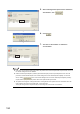
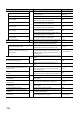
3. Select the row for the channel to be preset, then
click .
4. Input a preset value, then click .