
User`s manual


255
CHAPTER 8 TROUBLESHOOTING
8
8.3 Checking the LEDs
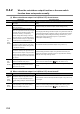
8.3.1 When both the RUN LED and the ERR. LED turned off
8.3 Checking the LEDs
The following tables show how to troubleshoot the system by the LEDs.
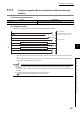
8.3.1 When both the RUN LED and the ERR. LED turned off
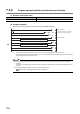
8.3.2 When the RUN LED turned on and the ERR. LED turned on
Check item Corrective action
Is the power supplied? Check if the supplied voltage of the power supply module is within rated range.
Is the capacity of the power supply module enough?
Calculate current consumption of the CPU module, I/O module, and intelligent
function module mounted on the base unit, and check if the capacity of current
is sufficient.
Is the module mounted on the base unit correctly? Check the mounting condition of the module.
Has a watchdog timer error occurred?
Reset the CPU module and check if the LEDs turn on. If the RUN LED is still
off, the possible cause is a failure of the QD65PD2. Please consult your local
Mitsubishi representative.
Check Item Corrective action
Has an error occurred?
Check the error code and take a corrective action described in Page
265, Section 8.5.