
User`s manual


24
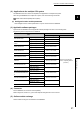
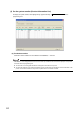
(3) On the system monitor (Product Information List)
To display the system monitor, select [Diagnostics][System Monitor] of the
programming tool.
(a) Production number
Production number indication is not available for the QD65PD2; "-" is shown.
The serial No. on the rating plate and the front of the module may be different from the serial No. displayed on the product
information list of the programming tool.
● The serial No. on the rating plate indicates the management information of the product.
● The serial No. displayed on the product information list of the programming tool indicates the function information of the
product. The function information of the product is updated when a new function is added.
Product Information List