
User`s manual

72
(18)CH1 Ring counter upper limit value (Un\G1012, Un\G1013)
• Use these memories to set the upper limit value of the count range when the ring counter is selected for a
counter format.
• Set the lower limit value of the ring counter as well.
• The setting range is between -2147483648 and 2147483647 in 32-bit signed binary format.
• The setting values are enabled by turning off and on Operating condition settings batch-change command
(Y01) or CH1 Count enable command (Y06).
• The default value is 0.
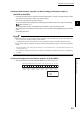
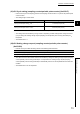
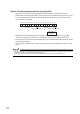
When the setting value of CH1 Ring counter upper limit value (Un\G1012, Un\G1013) is smaller than that of CH1 Ring
counter lower limit value (Un\G1010, Un\G1011), CH1 Ring counter upper/lower limit value setting error (error code: 1110).
(19)CH1 Preset value (Un\G1014, Un\G1015)
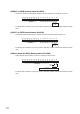
• Use these memories to set a preset value.
• The setting range is between -2147483648 and 2147483647 in 32-bit signed binary format.
• The setting values are enabled by turning off and on Operating condition settings batch-change command
(Y01).
• The setting values are enabled while Operating condition settings batch-changed (X01) is ON.
• The default value is 0.
(20)CH1 Time unit setting (sampling counter/periodic pulse counter) (Un\G1016)
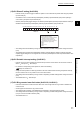
• Use this memory to set a unit of time for the sampling counter function or the periodic pulse counter function.
• The setting values are enabled by turning off and on Operating condition settings batch-change command
(Y01) or setting CH1 Setting change request (sampling counter/periodic pulse counter) (Un\G1020) to 1
H
:
Requested.
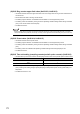
• The default value is 0
H
: 1ms.
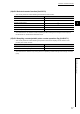
A unit of time Setting value
1ms
0
H
10ms
1
H