
User`s manual
74
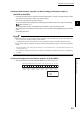
(23)CH1 Latch count value update flag reset command (Un\G1022)
• Use this memory to reset CH1 Latch count value update flag (Un\G1074).
• CH1 Latch count value update flag (Un\G1074) is reset by setting CH1 Latch count value update flag reset
command (Un\G1022) to 1
H
: Reset. CH1 Latch count value update flag reset command (Un\G1022) is
automatically reset to 0
H
: Not reset after the reset is completed.
• The default value is 0
H
: Not reset.
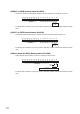
(24)CH1 Latch count value update flag reset command (latch counter input
terminal) (Un\G1023)
• Use this memory to reset CH1 Latch count value update flag (latch counter input terminal) (Un\G1075).
• CH1 Latch count value update flag (latch counter input terminal) (Un\G1075) is reset by setting CH1 Latch
count value update flag reset command (latch counter input terminal) (Un\G1023) to 1
H
: Reset. CH1 Latch
count value update flag reset command (latch counter input terminal) (Un\G1023) is automatically reset to
0
H
: Not reset after the reset is completed.
• The default value is 0
H
: Not reset.
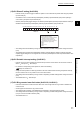
(25)CH1 Sampling count value update flag reset command (Un\G1024)
• Use this memory to reset CH1 Sampling count value update flag (Un\G1076).
• CH1 Sampling count value update flag (Un\G1076) is reset by setting CH1 Sampling count value update flag
reset command (Un\G1024) to 1
H
: Reset. CH1 Sampling count value update flag reset command
(Un\G1024) is automatically reset to 0
H
: Not reset after the reset is completed.
• The default value is 0
H
: Not reset.
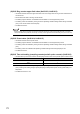
(26)CH1 Periodic pulse count value update flag reset command (Un\G1025)
• Use this memory to reset CH1 Periodic pulse count value update flag (Un\G1077).
• CH1 Periodic pulse count value update flag (Un\G1077) is reset by setting CH1 Periodic pulse count value
update flag reset command (Un\G1025) to 1
H
: Reset. CH1 Periodic pulse count value update flag reset
command (Un\G1025) is automatically reset to 0
H
: Not reset after the reset is completed.
• The default value is 0
H
: Not reset.