
Quick Start Guide
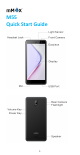
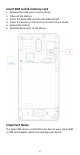
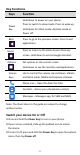
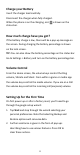
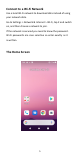
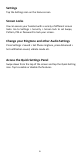
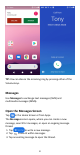
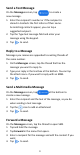
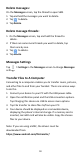
Table Of Contents
- Insert SIM card & memory card
- Key Functions
- Charge your Battery
- Volume Control
- Setting Up for the First Time
- Connect to a Wi-Fi Network
- The Home Screen
- Screen Locks
- Access the Quick Settings Panel
- Swipe down from the top of the screen and tap the
- Delete messages:
- Delete message threads:
- Messages Settings
- Transfer Files to A Computer
- Connecting to a computer enables you to transfer m
- 1.Connect your device to your PC with the USB power
- 2.Open the notification panel and the USB connection
- 3.Tap File transfer to share files to/from your PC.
- 4.Your device should be displayed as a removable dev
- Google, Android, Google Play and other marks are t

3
Key Functions
Keys
Function
Power
Key
Hold down to power on your phone.
Press to switch to sleep mode. Press to wake up.
Hold down for Silent mode, Airplane mode or
Power off.
Back
Press to go to the previous screen. Press to exit
applications.
Home
Press to return to the Home Screen from any
screen. Hold down to access Google Assistant.
Options
Get options on the current screen.
Hold down to see the recently used applications.
Volume
Keys
Use to control the volume Up and Down, Vibrate
and Silent mode, Media and Earpiece Volumes.
Phone icon – Open the dialer for Calls
Contacts – Access your phonebook contacts
Messages – Messages app, for SMS and MMS
Note: The illustrations in this guide are subject to change
without notice.
Switch your device On or Off
Press and hold the Power Key to turn on your phone.
If your screen is locked, slide up the padlock icon to unlock
the device.
To turn it off, press and hold the Power Key to open the options
menu, then tap Power off.