
Quick Start Guide
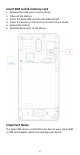
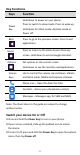
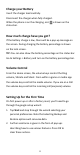
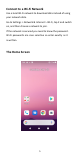
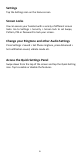
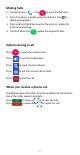
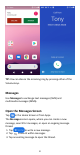
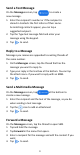
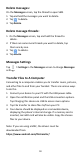
Table Of Contents
- Insert SIM card & memory card
- Key Functions
- Charge your Battery
- Volume Control
- Setting Up for the First Time
- Connect to a Wi-Fi Network
- The Home Screen
- Screen Locks
- Access the Quick Settings Panel
- Swipe down from the top of the screen and tap the
- Delete messages:
- Delete message threads:
- Messages Settings
- Transfer Files to A Computer
- Connecting to a computer enables you to transfer m
- 1.Connect your device to your PC with the USB power
- 2.Open the notification panel and the USB connection
- 3.Tap File transfer to share files to/from your PC.
- 4.Your device should be displayed as a removable dev
- Google, Android, Google Play and other marks are t

8
TIP: You can silence the incoming ring by pressing either of the
Volume keys.
Messages
Use Messages to exchange text messages (SMS) and
multimedia messages (MMS).
Open the Messages Screen
Tap in the Home Screen or from Apps.
The Messages screen opens, where you can create a new
message, search for messages, or open an ongoing message
thread.
1. Tap to write a new message.
2. Tap to search within messages
3. Tap an existing message to open the thread.