
User manual



3/44
© MOBOTIX AG • Security Vision Systems • Made in Germany
www.mobotix.com • sales@mobotix.com
Contents
1 INTRODUCTION 6
1.1 Two-Wire Cables 7
1.2 Automatic Device Configuration 8
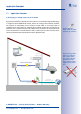
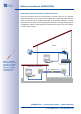
1.3 Application Examples 9
1.4 Overview: Performance Data 15
2 INSTALLATION 20
2.1 Delivered Parts And Components 20
2.2 Housing And Connectors 21
2.3 Mounting Instructions 22
2.4 Preparing The Installation 23
2.5 Set The PoE Class Of The Power Supply 27
2.6 Installation Using Cavity or In-Wall Socket 28
2.7 Installation With On-Wall Socket 30
3 OPERATION 32
3.1 Transfer Of Data And Power 32
3.2 Connection Options (Positioning of PoE Power Supply) 35
3.3 LED Signaling: Operating Statuses And Error Messages 38
3.4 Additional Notes 40
Notes and copyright information
Download the latest version of this manual and other MOBOTIX manuals as PDF files from
www.mobotix.com (Support > Manuals). All rights reserved.
MOBOTIX, Mx2wire+, MxControlCenter, MxEasy, ExtIO and CamIO are internationally
protected trademarks of MOBOTIX AG. All other brandnames mentioned herein may be
trademarks or registered trademarks of the respective owners.
Copyright © 1999-2011 MOBOTIX AG, Langmeil, Germany. Information subject to change
without notice!
Additional information:
www.mobotix.com