
User manual

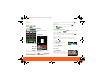
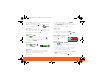
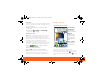
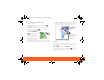
Table Of Contents
- Your Phone
- Contents
- Device Setup
- Calls
- Home Screen
- Keys
- Text Entry
- Voice Input & Search
- Ringtones & Settings
- Synchronize
- Contacts
- Social Networking
- Email & Text Messages
- Tools
- Photos & Videos
- Apps & Updates
- Location Apps (GPS)
- AT&T Features & Services
- Web
- Music Player & Radio
- Wi-Fi® & Bluetooth® Connections
- Memory Card & USB
- Security
- Icons & Battery Life
- Troubleshooting
- Safety, Regulatory & Legal
- Battery Use & Safety
- Battery Charging
- SAR (IEEE)
- WHO Information
- EU Conformance
- FCC Notice
- Industry Canada Notice
- GPS & AGPS
- Navigation
- Driving Safety
- Privacy & Data Security
- Use & Care
- Recycling
- Perchlorate Label
- Hearing Aid Compatibility
- Software Copyright Notice
- Content Copyright
- OSS Information
- Export Law
- Registration
- Warranty

Home Screen8
Use & Change Your Home Screen
In your home screen:
• To open something, touch it. Touch Home to
return to the home screen.
• To change widget options (if available), open the
widget and touch Menu . You can choose an
account in messaging widgets.
• To resize a Motorola
widget, touch and hold
it until you feel a
vibration, then release.
Drag a corner to resize.
• To add something to the
screen, touch and hold
an empty spot until the menu opens—you can add
shortcuts, widgets, or folders, or change wallpaper.
THURSDAY
08
JULY
1:30 pm to 2:30 pm
Lunch with Ray Smith
3:00 pm to 4:00 pm
Team Meeting: Design Review
+2 more
+2 more
1:30 pm to 2:30 pm
Lunch with Ray Smith
5th and Broadway
2:00 pm to 3:00 pm
Business Plan discussion with team
3:00 pm to 4:00 pm
Team Meeting: Design Review
T
H
UR
SD
AY
0
8
J
U
LY
1:30
30
1
pm to
pm to
2:30
2:30
pm
pm
nch
nch
with
with
Ray
Ray
Smith
Smith
3:0
00
p
m to 4:00
pm
T
Te
eam
Meetin
g
: Desi
g
n Review
+2 m
o
re
+2 m
o
re
1:3
30
p
m to 2:30
pm
Lu
unch
w
i
t
h
Ra
y
Sm
i
t
h
5th
th a
nd Broadwa
y
2:0
00
pm to
3:00
pm
Bu
usin
ess Plan discussion with team
3:0
00
pm to 4:
00
pm
T
Te
eam
Meeti
ng: D
esign
Review
team
0
0
0
0
0
0
0
0
0
0
0
0
0
0
0
0
0
0
0
0
1
1:3
1:
1
Lu
Lu
Lu
Lu
Lu
u
un
Lu
u
un
L
• To move or delete something, touch and hold it
until you feel a vibration, then drag it to another
place, another panel, or to the trash can.
Search
To search, use a Search widget (if you have one on
your home screen), or open your phone and press
Search .
Tip: In your app menu or Contacts, you can open
your phone (or touch and hold Menu to open a
touchscreen keypad), then type an entry name to
find it.
No meetings
this week
N
o meet
i
n
g
s
THU
08
JUL
To u ch & hold
then drag to
move
Drag a widget or
icon here to
delete it from
your screen
XXXX433a.fm.fm Page 8 Monday, October 4, 2010 10:56 AM