
Enterprise Digital Assistant User Guide

8 Using MC35 Companion Programs
Media-related programs
169
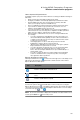
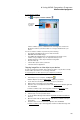
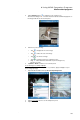
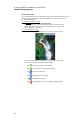
3 Tap the Magnify button to enable the zoom selection tools.
The full screen image zooms in and a red selection border automatically appears on
the image inside the zoom selection panel.
4 Perform any of the following:
• Tap to magnify the size of the image.
• Tap to reduce the size of the image.
• Tap to zoom into an image.
• Tap to return the image to its original view size.
• Drag the red box within the small frame to pan the image in any
direction you want.
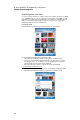
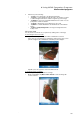
5Tap Menu > Zoom to hide the zoom selection panel.
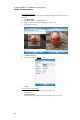
To set an image as a Today wallpaper:
To add a custom look to the Today screen of your device; apply a wallpaper of your
choice using any image.
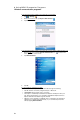
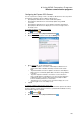
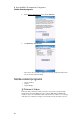
1 Tap and hold a thumbnail, then tap Set as Today Background.
2 Tap the up or down arrows to set the transparency level.
3Tap ok.