24
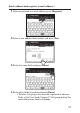
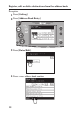
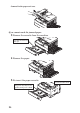
Jammed in the paper exit area
If you cannot reach the jammed paper:
3
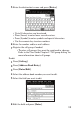
Remove the cassette from the machine.
4
Remove the paper.
5
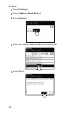
Re-insert the paper cassette.
Pull the cassette out,
and lift
Close the side cover
Align the cassette to the
guides, and push it back