
User's Manual

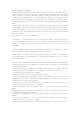
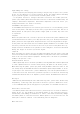
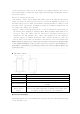
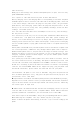
Take the battery:
Hand grip on the fuselage side; Another hand upward pull (or pull, there are only
shake handshandle) battery
。
Note: replace or take down the battery must be shut down before!
Battery charging: insert the charging cable is corresponding to one end of the phone
and mobile phone in the I/O interface; The other end of the charging cable, connected
to the travel charger, and insert the plug into the power socket, can give mobile
phone battery. After charging, please remove the plug from the power outlet. If the
battery is not in use for a long time, will gradually discharge, before use must
recharge, can normal operation.
Note: the other end of the cable insert the USB port of electricity, also can charge,
but the process is slow.
Note: the battery in the tray icon to view the power information. When the battery
is insufficient, cell phone will automatically shut down, please recharge the
battery. If a serious shortage of electricity charge, may not be immediately show
charging status (need to wait for a while will display). In the process of charging
the use of mobile phones to play games such as may lead to cell phone low battery
shutdown.
mobile phone card and SD card: your mobile phone can be in the absence of phone card
for certain operations, communicate only through a mobile phone card to complete.
Without mobile phone card, if you position in the range of network coverage, this
machine can choose to register for any network, in case of an emergency can call
emergency telephone operator network support, the specific number please consult
network operators to support.
Note: please pay attention to mobile phone card, do not bend or scratches, also do
not contact with electrostatic or flooding, This phone is dual SIM gets stuck, card
slot was 1 W 3 G network card (compatible with G CARDS), unicom 3 G card to insert
W card slot, according to pan on the label can read the 3 G network, corresponding
card slot 2 G network CARDS. Phones do not support hot plug, plug the phone card
and the SD card before, please remove the cable and turn off your phone.
switch machine: the phone is in a state of shutdown, long press the power button
boot; In mobile phone boot state, long press the power button will pop up in the
options menu, select "shut down".
Input method is introduced: this mobile phone provides you with handwritten input,
English letters, words, such as a variety of input methods. Click on the "keyboard"
logo in the function bar can switch input method. The cursor position, indicating
the current input in input area.
Address book: the address book has the function of managing contacts in you can
store the name of the contact person, telephone number, E-mail address and other
personal information. Information: you can send and receive short MMS.
dial: direct input in the dial number, choose the corresponding mode dial a phone.
When answering the telephone, call slip "answer" button to the right.
Refuse to answer the phone: when sliding to the left "reject" button to hang up the
phone.