
User Manual



www.netcommwireless.comNetComm Wireless 4GM3W User Guide
33
Forwarding Rules
The Forwarding Rules page allows you to configure the port forwarding management on the router. Click on any of the menu
items on the left to access the respective settings page.
Forwarding rules are a necessary feature as by default NAT (Network Address Translation) will automatically block incoming
traffic from the Internet to the LAN unless a specific port mapping exists in the NAT translation table. Because of this, NAT
provides a level of protection for computers that are connected to your LAN.
However this also creates a connectivity problem when you want to make LAN resources available to Internet clients. For
example, to play network games or host network applications.
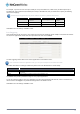
There are three ways to work around NAT and to enable certain LAN resources available from the Internet:
Port Forwarding
(available in the Virtual Server page)
Port Triggering
(available in the Special AP page)
DMZ Host
(available in the Miscellaneous page)
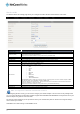
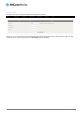
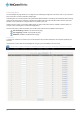
Virtual Server
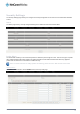
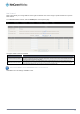
A virtual server is defined as a Service Port, and all requests to this port will be redirected to the computer specified by the
Server IP.
Virtual Servers can also work with Scheduling Rules, and give you more flexibility on Access control.
Please note: For further instructions on scheduling rules, please refer to the “Scheduling” section later in this guide