
User Manual



www.netcommwireless.comNetComm Wireless 4GM3W User Guide
35
Miscellaneous
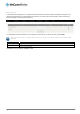
A Demilitarized Zone (DMZ) Host is a computer without the protection of firewall. It allows that particular computer to be
exposed to unrestricted 2-way communication to the internet. It is mostly used for Internet games, Video conferencing,
Internet telephony and other special applications.
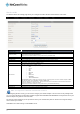
To enable DMZ, enter the IP address of the computer you want to be live on the internet and click on Enable.
Note: This feature should be used only when necessary as it exposes the selected machine to the internet without
protection.
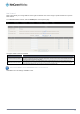
OPTION DEFINITION
IP Address of DMZ Host Enter the IP address of the computer you wish to put in the DMZ.
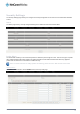
UPnP Setting
The device also supports UPnP. If the DMZ host operating system supports this function enable it to automatically configure
the required network settings.
Click Save to save the settings or Undo to cancel.