
User Manual



www.netcommwireless.comNetComm Wireless 4GM3W User Guide
39
URL Blocking
URL Blocking will block LAN computers from connecting to a pre-defined website. The major difference between the Domain
Filter and URL Blocking is that Domain Filtering require users to input a suffix (e.g. xxx.com, yyy.net) while URL Blocking only
requires you to input a keyword.
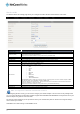
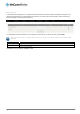
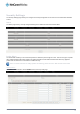
To enable URL Blocking, select the Enableoption at the top of the page.
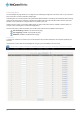
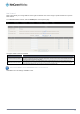
To set a URL Blocking rule, you need to specify the following:
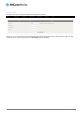
OPTION DEFINITION
URL
If any part of the Website’s URL matches the pre-defined word then the connection will be blocked. For example, you can use
pre-defined word "sex" to block all websites if their URLs contain the pre-defined word "sex".
Enable Tick to enable the rule.
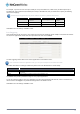
Click Save to save the settings or Undo to cancel.