
User Manual



40
NetComm Wireless 4GM3W User Guidewww.netcommwireless.com
MAC Control
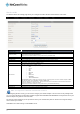
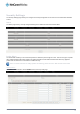
MAC Control allows you to assign different access rights for different users and to assign a specific IP address to a specific
MAC address.
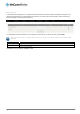
To enable MAC Address Control, select the Enableoption at the top of the page.
Two types of MAC Control are available:
OPTION DEFINITION
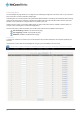
Connection control (C column)
Use this to control which clients (wired and wireless) can connect to the unit. If a client is denied access to connect to
this device, it means the client cannot access the Internet either. Choose to allow or deny clients with MAC addresses
that are not in the list to connect to this device.
Association control (A column)
Check Association Control to control which wireless client can associate with the unit. If a client is denied access to
associate with the unit, it means the client cannot send or receive any data via this device. Choose to allow or deny the
clients with MAC addresses that are not in the list to associate to the wireless LAN.
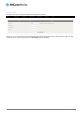
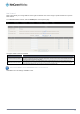
Note: Click the
Next >>
or the
<<Previous
buttons to see the entire list
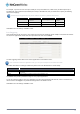
Click Save to save the settings or Undo to cancel.