
User Manual
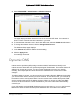
Table Of Contents
- User Manual
- Contents
- 1 Hardware Setup
- 2 Connect to the Network and Access the Modem Router
- 3 Specify Your Internet Settings
- 4 Control Access to the Internet
- 5 Share USB Devices Attached to the Modem Router
- USB Storage Device Requirements
- Connect a USB Storage Device to the Modem Router
- Access a USB Drive Connected to the Modem Router From a Windows Computer
- Map a USB Device to a Windows Network Drive
- Access a USB Storage Device That Is Connected to the Modem Router From a Mac
- Control Access to the USB Storage Device
- Use FTP Within the Network
- View or Change Network Folders on a USB Storage Device
- Add a Network Folder on a USB storage device
- Edit a Network Folder on a USB storage device
- Approve USB Devices
- Access the USB storage device Through the Internet
- Safely Remove a USB storage device
- 6 Share a USB Printer
- 7 Specify Network Settings
- View WAN Settings
- Set Up a Default DMZ Server
- Change the Modem Router’s Device Name
- Change the LAN TCP/IP Settings
- Specify the IP Addresses That the Modem Router Assigns
- Disable the DHCP Server Feature in the Modem Router
- Reserve LAN IP Addresses
- Improve Network Connections With Universal Plug and Play
- Use the WPS Wizard for WiFi Connections
- Specify Basic WiFi Settings
- Change the WiFi Security Option
- Set Up a Guest Network
- Control the Wireless Radios
- Set Up a Wireless Schedule
- Specify WPS Settings
- 8 Manage Your Network
- Change the Admin Password
- Set Up Password Recovery
- Recover the admin Password
- View Modem Router Status
- View Logs of Modem Router Activity
- View Event Logs
- Run the Ping Utility
- Run the Traceroute Utility
- Monitor Internet Traffic
- View Devices Currently on the Network
- Manage the Modem Router Configuration File
- View Wireless Access Points in Your Area
- View or Change the Modem Router Wireless Channel
- Dynamic DNS
- Remote Management
- 9 Specify Internet Port Settings
- 10 Troubleshooting
- A Supplemental Information

Nighthawk AC1900 WiFi Cable Modem Router
Manage Your Network User Manual94
• Resolve Host. Select On to resolve the host name to the IP address.
7. Click the St
art Test button.
The traceroute results display.
8. T
o clear the results from the display, click the Clear Results button.
Monitor Internet Traffic
Traffic metering allows you to monitor the volume of Internet traffic that passes through the
modem router Internet port. You can set limits for traffic volume.
To monitor Internet traffic:
1. Laun
ch a web browser from a computer or mobile device that is connected to the
modem router network.
2. Enter http://routerlo
gin.net or http://192.168.0.1.
A login window opens.
3. Enter
the modem router user name and password.
The user name is ad
min. The default password is password. The user name and
password are case-sensitive.
The BASIC Home page displays.
4. Select ADV
ANCED > Advanced Setup > Traffic Meter.
Scroll to view
more settings
5. Select the Enable Traffic Meter check box.