
- Nextel Communications Cell Phone User Manual




iii
Table of Contents
How To Use This Guide.............................................................. i
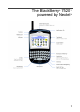
The BlackBerry
®
7520™
powered by Nextel
® ........................................................................................................................................ 1
BlackBerry
®
Basics....................................................................2
Getting Help ........................................................................................2
Navigating Your BlackBerry Device ....................................................2
The Walkie-Talkie Button ....................................................................2
Set-up Checklist.........................................................................3
Set a BlackBerry Device Password.....................................................8
Set Up Your Notification Profiles.........................................................8
Navigating Your BlackBerry .....................................................9
Nextel Services Overview .......................................................15
Contacting Customer Care................................................................16
Driving Tips .......................................................................................18
Nextel Email Services.............................................................. 19
BlackBerry Internet Service Email.....................................................19
BlackBerry Enterprise Server Email..................................................23
Sending an Email ..............................................................................24
Nextel Phone Services ............................................................ 25
Making a Phone Call .........................................................................25
Ending a Phone Call..........................................................................25
Using the Mute Option.......................................................................25
Receiving a Call ................................................................................25
Making an Emergency Call ...............................................................26
Viewing Your Message and Call Logs...............................................26