
User's Guide


Table Of Contents
- Title page
- Revision history
- Contents
- About the Nortel IP Phone 2004
- Entering and editing text
- Connecting the components
- Configuring options
- Making a call
- Answering a call
- While on an active call
- Incoming calls
- While away from your desk
- Talking with more than one person
- Working without interruption
- Additional call features
- Using AutoDial Transfer
- Using the Buzz signal
- Using Call Page Connect to make an announcement
- Using Centrex/Exchange Line Switchhook Flash
- Charging a call or charging a forced call
- Using Enhanced Override
- Using Forced Camp-on feature
- Overriding a busy signal
- Using Privacy Release
- Using Radio Page
- Using Voice Call
- Additional phone features
- Using Hospitality features
- Accessing External Server Applications
- Flexible Feature Codes (FFCs)
- Accessories
- Terms you should know
- Index
Configuring options
35
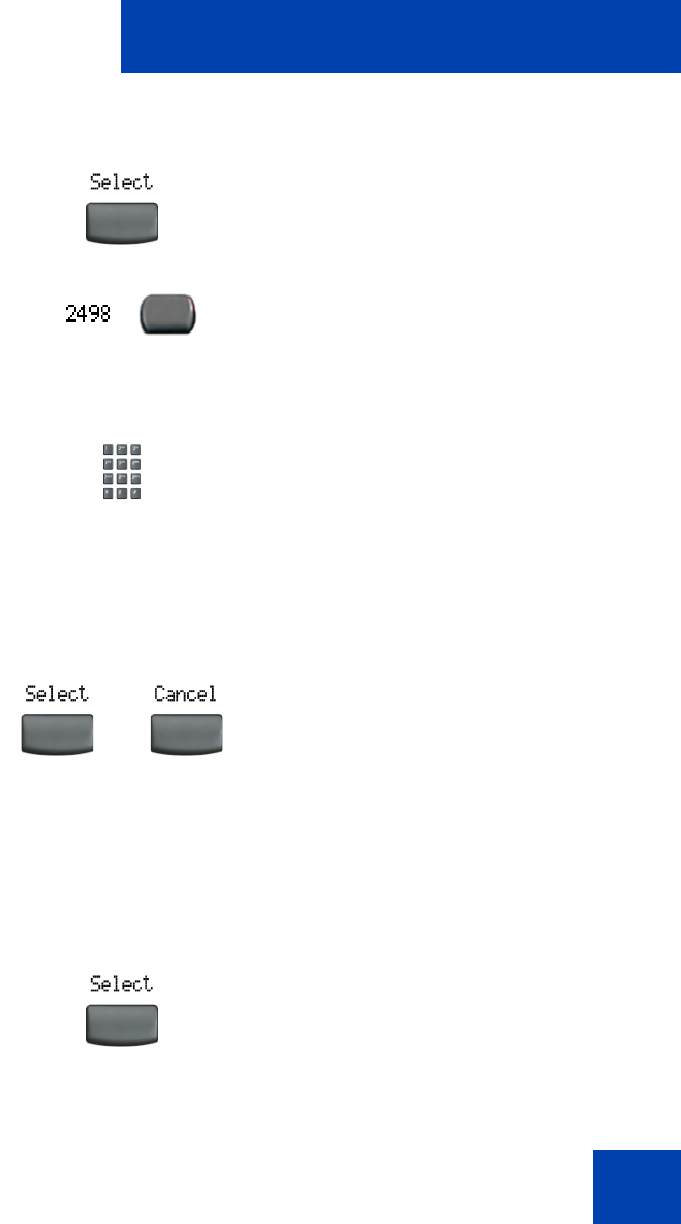
To rename the labels:
Restore the default labels:
To restore feature key labels, press the Services key and select Change
feature key labels from the Telephone Option menu.
1. Press the Select soft key.
2. Press the feature key that is being
changed.
Note:
If you press a prime DN key, an
error message displays.
3. Enter the new information for the feature
key label. To enter special characters,
press the Up navigation key. For
information about entering text, refer to
“Entering text using the telephone
dialpad” on page 22.
4. Choose one of the following:
—Press the Select soft key to save the
changes and return to the
Telephone Option menu.
— Press the Cancel soft key to keep
existing configurations.
1. Press the Select soft key.
or