
User's Manual Part 1

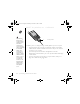


Table Of Contents
- using your Treo™ 650 smartphone by palmOne
- Contents
- Welcome
- If you read nothing else...
- read this now: getting started
- first day: learning the basics
- first week: using phone, web, and messaging
- Phone overview
- Dialing calls
- Receiving calls
- Using voicemail
- Managing active calls
- More ways to manage calls
- Defining favorite buttons
- Using a phone headset
- Connecting to devices with Bluetooth wireless technology
- Sending and receiving email
- Transferring settings from an existing account (Windows only)
- Setting up an account on your computer (Windows only)
- Setting up an account on your phone
- Creating and sending messages
- Attaching photos and videos
- Attaching ringtones
- Attaching Word, Excel, and PowerPoint files
- Attaching other types of files
- Receiving and viewing messages
- Replying to or forwarding messages
- Viewing attachments
- Managing your messages
- Deleting selected messages from the Inbox
- Deleting messages by date
- Switching accounts
- Customizing your email settings
- Scheduling Auto Sync
- Selecting alert tones
- Setting preferences for getting messages
- Attaching a signature to a message
- Working with Microsoft Exchange ActiveSync
- Messaging
- Browsing the web
- Viewing a web page
- The Blazer® Web browser uses patent-pending technology to optimize web pages for your phone. By default, the browser reformats w...
- Creating a bookmark
- Saving a page
- Viewing bookmarks or saved pages
- Editing or deleting a bookmark or saved page
- Arranging bookmarks and saved pages
- Downloading files from a web page
- Copying text from a web page
- Using the History list
- Finding text on a web page
- Customizing your Web browser settings
- Taking photos and videos
- first two weeks: using organizer features

36 :: Where to learn more
Where to learn more
For a quick introduction
• Quick Tour: The Quick Tour teaches you how to use many features of your Treo.
It is already installed on your Treo, and you can open it any time.
While using your Treo
• Tips: Many of the built-in applications include helpful tips for getting the most out
of your Treo. To view these tips, open an application, open the menus , select
Options, and then select Tips.
• Information: Many screens have a Tips icon in the upper-right corner. Select
the Tips icon to learn about the tasks you can perform in that dialog box.
• Online support from palmOne: For up-to-date downloads, troubleshooting, and
support information, check out www.palmOne.com/intl/support/treo650.
If you need more information
• Books: Many books on Palm Powered devices, such as “Now You Know Treo”, are
available in local or online book retailers (look in the computers section), or visit
www.palmOne.com/intl.
• Online forums: Consult online Treo user discussion groups to swap information
and learn about topics you may find nowhere else. Visit www.palmOne.com/intl for
details.
• Customer service from your wireless service provider: For questions about your
mobile account or features available on the network, contact your wireless service
provider for the latest information and help.
To open the Quick Tour, go
to Applications and select
Quick Tour.
CrowAce.book Page 36 Wednesday, November 10, 2004 1:52 PM
DRAFT 1A palmOne, Inc. Confidential