
User's Manual Part 1



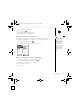
Table Of Contents
- using your Treo™ 650 smartphone by palmOne
- Contents
- Welcome
- If you read nothing else...
- read this now: getting started
- first day: learning the basics
- first week: using phone, web, and messaging
- Phone overview
- Dialing calls
- Receiving calls
- Using voicemail
- Managing active calls
- More ways to manage calls
- Defining favorite buttons
- Using a phone headset
- Connecting to devices with Bluetooth wireless technology
- Sending and receiving email
- Transferring settings from an existing account (Windows only)
- Setting up an account on your computer (Windows only)
- Setting up an account on your phone
- Creating and sending messages
- Attaching photos and videos
- Attaching ringtones
- Attaching Word, Excel, and PowerPoint files
- Attaching other types of files
- Receiving and viewing messages
- Replying to or forwarding messages
- Viewing attachments
- Managing your messages
- Deleting selected messages from the Inbox
- Deleting messages by date
- Switching accounts
- Customizing your email settings
- Scheduling Auto Sync
- Selecting alert tones
- Setting preferences for getting messages
- Attaching a signature to a message
- Working with Microsoft Exchange ActiveSync
- Messaging
- Browsing the web
- Viewing a web page
- The Blazer® Web browser uses patent-pending technology to optimize web pages for your phone. By default, the browser reformats w...
- Creating a bookmark
- Saving a page
- Viewing bookmarks or saved pages
- Editing or deleting a bookmark or saved page
- Arranging bookmarks and saved pages
- Downloading files from a web page
- Copying text from a web page
- Using the History list
- Finding text on a web page
- Customizing your Web browser settings
- Taking photos and videos
- first two weeks: using organizer features

Messaging :: 81
• Privacy Mode (hide text): Indicate if you want the body text to appear in the
alert when you receive a new message.
• Validity period: Set how long you want your wireless service provider to attempt
to deliver your outgoing messages. If a message can’t be delivered within the
specified period of time, the message is discarded. This setting doesn’t affect
your incoming messages.
• Chat: Your preferences for chat sessions.
• Thread messages from one person: Indicate when
you want to group messages from the same person.
• Show message timestamps in chats: Indicate if
you want to see the local date and time the
message was sent next to each message.
• Display my name in chat window as: Enter the
name you want displayed as the label for your
messages in the Chat screen.
• Label color: Select the color in which you want messages to appear.
• Use color for: Indicate if you want to view both the message label and the
message in a different color or only the name.
• Connection: Your preferences for network connections.
• Automatically collect MMS messages: Indicate if
you want to automatically receive multimedia
messages.
• Even when roaming: Indicate if you want to
automatically receive multimedia messages while
roaming.
• Network Configuration: Indicate if you want to use
Automatic or Manual message retrieval. If you select
Manual, select Edit and enter your wireless service provider’s settings.
4. Select OK.
Warning: Changing your
Network preferences may
cause the Messaging
application to stop
functioning.
CrowAce.book Page 81 Wednesday, November 10, 2004 1:52 PM
DRAFT 1A palmOne, Inc. Confidential