
User's Manual Part 1
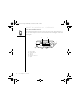
Table Of Contents
- using your Treo™ 650 smartphone by palmOne
- Contents
- Welcome
- If you read nothing else...
- read this now: getting started
- first day: learning the basics
- first week: using phone, web, and messaging
- Phone overview
- Dialing calls
- Receiving calls
- Using voicemail
- Managing active calls
- More ways to manage calls
- Defining favorite buttons
- Using a phone headset
- Connecting to devices with Bluetooth wireless technology
- Sending and receiving email
- Transferring settings from an existing account (Windows only)
- Setting up an account on your computer (Windows only)
- Setting up an account on your phone
- Creating and sending messages
- Attaching photos and videos
- Attaching ringtones
- Attaching Word, Excel, and PowerPoint files
- Attaching other types of files
- Receiving and viewing messages
- Replying to or forwarding messages
- Viewing attachments
- Managing your messages
- Deleting selected messages from the Inbox
- Deleting messages by date
- Switching accounts
- Customizing your email settings
- Scheduling Auto Sync
- Selecting alert tones
- Setting preferences for getting messages
- Attaching a signature to a message
- Working with Microsoft Exchange ActiveSync
- Messaging
- Browsing the web
- Viewing a web page
- The Blazer® Web browser uses patent-pending technology to optimize web pages for your phone. By default, the browser reformats w...
- Creating a bookmark
- Saving a page
- Viewing bookmarks or saved pages
- Editing or deleting a bookmark or saved page
- Arranging bookmarks and saved pages
- Downloading files from a web page
- Copying text from a web page
- Using the History list
- Finding text on a web page
- Customizing your Web browser settings
- Taking photos and videos
- first two weeks: using organizer features

Treo smartphone overview :: 7
Treo smartphone overview
You should have received all of the following components in the Treo 650
smartphone box:
Hardware
• Treo handset
• Your wireless service provider’s SIM card
•AC charger
• USB sync cable
• Headset
• Electric socket adapter(s) (if required in region)
Documentation and software
•Start Here booklet
• Using Your Treo 650 Smartphone (this guide)
• Software Installation CD (includes desktop synchronization software and bonus
software)
• palmOne warranty
Warranty does not cover
damage by Secure Digital
(SD) cards that do not
meet SD Memory Card
Specifications. SD cards
that do not meet SD
Memory Card Specifications
may damage Treo 650. SD
cards that do meet SD
Memory Card
Specifications are marked
with the following logo:
The Software Installation
CD includes free bonus
software for your phone
and synchronization
software for your computer.
CrowAce.book Page 7 Wednesday, November 10, 2004 1:52 PM
DRAFT 1A palmOne, Inc. Confidential