
User's Manual Part 2



Viewing application info :: 133
Viewing application info
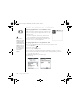
The Info screens display basic statistics about the applications on your Treo.
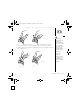
1. Go to Applications .
2. Open the menus .
3. Select Info on the App menu.
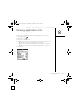
4. At the bottom of the screen, select the type of information you want to view:
• Version: The version numbers of applications on your Treo.
• Size: The size (in kilobytes) of applications and information on your Treo.
• Records: The number of entries in different applications on your Treo.
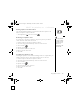
5. Select Done.
CrowAce.book Page 133 Wednesday, November 10, 2004 1:52 PM
DRAFT 1A palmOne, Inc. Confidential