
User's Manual Part 2




Power Preferences :: 151
Power Preferences
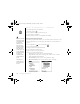
1. Go to Applications and select Prefs .
2. Select Power.
3. Set any of the following preferences:
• Auto-off After: The time that elapses before your screen turns off automatically.
• Beam Receive: The setting for whether you want your Treo to receive beamed
information.
4. Select Done.
CrowAce.book Page 151 Wednesday, November 10, 2004 1:52 PM
DRAFT 1A palmOne, Inc. Confidential