
- Patton Electronics Network Router User Manual



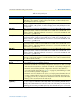
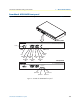
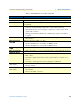

Table Of Contents
- Summary Table of Contents
- Table of Contents
- List of Figures
- List of Tables
- About this guide
- Chapter 1 General information
- Chapter 2 Applications overview
- Chapter 3 SmartNode installation
- Chapter 4 Initial configuration
- Chapter 5 G.SHDSL Basic Configuration
- Chapter 6 Contacting Patton for assistance
- Appendix A Compliance information
- Appendix B Specifications
- Appendix C Cabling
- Appendix D Port pin-outs
- Appendix E SmartNode 4950-NCE factory configuration
- Appendix F End user license agreement
SmartNode 4950-NCE front panel 18
SmartNode 4950-NCE Getting Started Guide 1 • General information
SmartNode 4950-NCE front panel
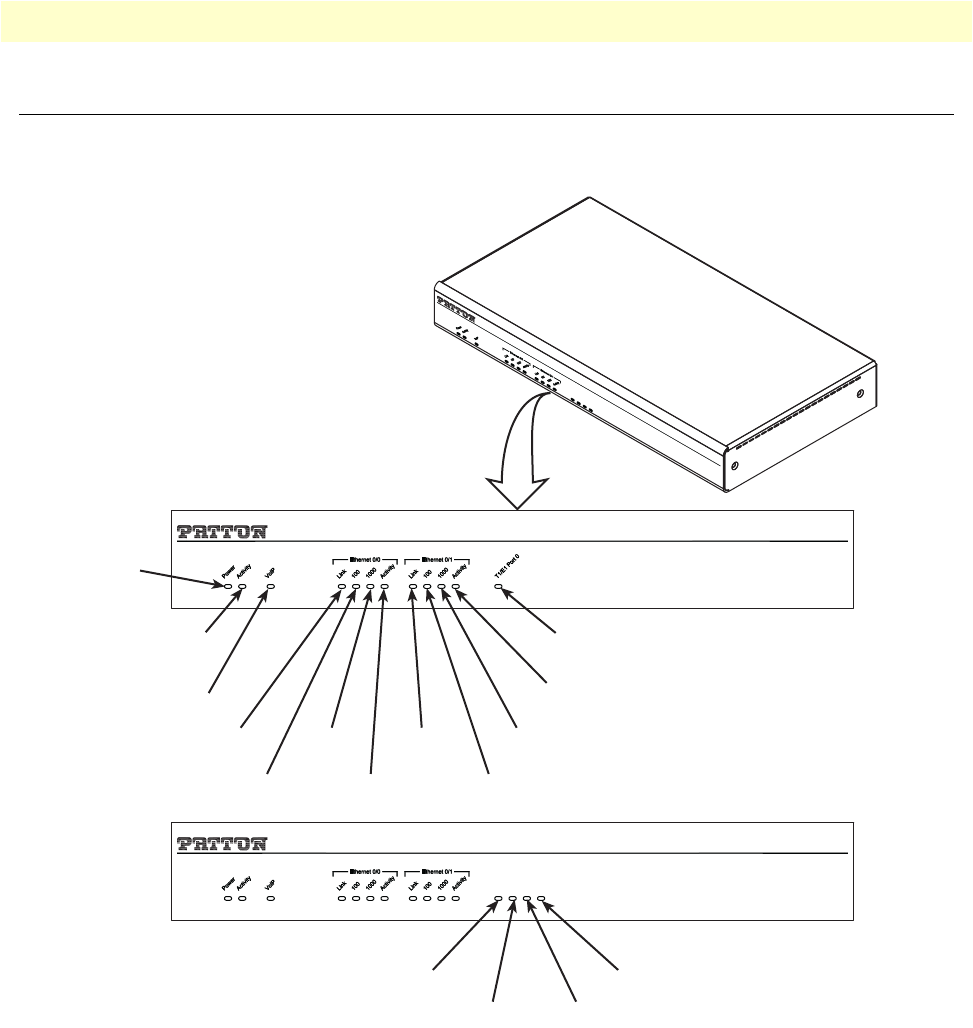
Figure 3 shows SmartNode 4950-NCE front panel LEDs, the LED definitions are listed in table 5.
Figure 3. SmartNode 4950-NCE front panel
Power
Activity
VoIP
Ethernet 0/0
Link
Ethernet 0/0
100
SN4950/1E30V
SN4950/4E120V
T1/E1 Port 1
T1/E1 Port 2
T1/E1 Port 3
T1/E1 Port 0
Ethernet 0/0
1000
Ethernet 0/0
Activity
Ethernet 0/1
Link
Ethernet 0/1
100
Ethernet 0/1
1000
Ethernet 0/1
Activity
T1/E1 Port 0
T1/E1 Port 0
T1/E1 Port 1 T1/E1 Port 2
T1/E1 Port 3
T
1
/E
1
P
o
rt
1
T
1
/E
1
P
o
rt 2
T
1
/E
1
P
o
r
t 3
T
1
/E
1
P
o
rt 0
SmartNode 4950 VoIP IAD
Multi-Port T1/E1/PRI VoIP Enterprise Gateway Router
SmartNode 4950 VoIP IAD
Multi-Port T1/E1/PRI VoIP Enterprise Gateway Router
SmartNode 4950 VoIP IAD
M
u
lt
i-
P
o
r
t
T
1
/
E
1
/
P
R
I
V
o
I
P
E
n
t
e
r
p
r
i
s
e
G
a
t
e
w
a
y
R
o
u
te
r