
- Patton Electronics Network Router User Manual

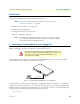

Table Of Contents
- Summary Table of Contents
- Table of Contents
- List of Figures
- List of Tables
- About this guide
- Chapter 1 General information
- Chapter 2 Applications overview
- Chapter 3 SmartNode installation
- Chapter 4 Initial configuration
- Chapter 5 G.SHDSL Basic Configuration
- Chapter 6 Contacting Patton for assistance
- Appendix A Compliance information
- Appendix B Specifications
- Appendix C Cabling
- Appendix D Port pin-outs
- Appendix E SmartNode 4950-NCE factory configuration
- Appendix F End user license agreement

27
Chapter 4 Initial configuration
Chapter contents
Introduction..........................................................................................................................................................28
1. Connecting the SmartNode to your laptop PC..................................................................................................28
2. Configuring the desired IP address ....................................................................................................................29
Factory-default IP settings ...............................................................................................................................29
Login ..............................................................................................................................................................29
Changing the WAN IP address .......................................................................................................................29
3. Connecting the SmartNode to the network .......................................................................................................30
4. Loading the configuration (optional).................................................................................................................31
Bootloader.............................................................................................................................................................32
Start Bootloader ..............................................................................................................................................32
Start-up with factory configuration .................................................................................................................32
Load a new application image (SmartWare) via TFTP ....................................................................................32
Load a new application image (SmartWare) via the serial link .........................................................................34
Additional information..........................................................................................................................................35