
- Patton Electronics Network Router User Manual
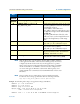


Table Of Contents
- Summary Table of Contents
- Table of Contents
- List of Figures
- List of Tables
- About this guide
- Chapter 1 General information
- Chapter 2 Applications overview
- Chapter 3 SmartNode installation
- Chapter 4 Initial configuration
- Chapter 5 G.SHDSL Basic Configuration
- Chapter 6 Contacting Patton for assistance
- Appendix A Compliance information
- Appendix B Specifications
- Appendix C Cabling
- Appendix D Port pin-outs
- Appendix E SmartNode 4950-NCE factory configuration
- Appendix F End user license agreement
Additional information 35
SmartNode 4950-NCE Getting Started Guide 4 • Initial configuration
Note
This type of download takes about 25 minutes since it uses a serial link at
only 9600 bps.
Additional information
For detailed information about configuring and operating guidance, set up procedures, and troubleshooting,
refer to the SmartNode Series SmartWare Software Configuration Guide on the CD-ROM.
8 RedBoot> go Starts the application image that was downloaded to the vola-
tile memory (RAM).
Step Command Purpose