
- Patton Electronics Network Router User Manual
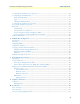
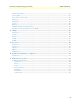
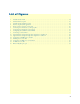
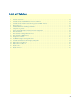
Table Of Contents
- Summary Table of Contents
- Table of Contents
- List of Figures
- List of Tables
- About this guide
- Chapter 1 General information
- Chapter 2 Applications overview
- Chapter 3 SmartNode installation
- Chapter 4 Initial configuration
- Chapter 5 G.SHDSL Basic Configuration
- Chapter 6 Contacting Patton for assistance
- Appendix A Compliance information
- Appendix B Specifications
- Appendix C Cabling
- Appendix D Port pin-outs
- Appendix E SmartNode 4950-NCE factory configuration
- Appendix F End user license agreement

4
Table of Contents
Summary Table of Contents ........................................................................................................................... 3
Table of Contents ........................................................................................................................................... 4
List of Figures ................................................................................................................................................. 7
List of Tables .................................................................................................................................................. 8
About this guide ............................................................................................................................................. 9
Audience................................................................................................................................................................. 9
Structure................................................................................................................................................................. 9
Precautions ........................................................................................................................................................... 10
Safety when working with electricity ...............................................................................................................11
General observations .......................................................................................................................................12
Typographical conventions used in this document................................................................................................ 12
General conventions .......................................................................................................................................12
1 General information...................................................................................................................................... 13
SmartNode 4950-NCE overview...........................................................................................................................14
SN4950-NCE model codes .............................................................................................................................15
SN4951-NCE model codes .............................................................................................................................16
SmartNode 4950-NCE rear panel .........................................................................................................................16
SmartNode 4950-NCE front panel .......................................................................................................................18
2 Applications overview.................................................................................................................................... 20
Introduction..........................................................................................................................................................21
Application—Multi-service ISDN Internet telephony IAD ...................................................................................21
3 SmartNode installation.................................................................................................................................. 22
Planning the installation........................................................................................................................................23
Site log ............................................................................................................................................................23
Network information ......................................................................................................................................23
Network Diagram ...........................................................................................................................................23
IP related information .....................................................................................................................................23
Software tools .................................................................................................................................................24
AC Power Mains .............................................................................................................................................24
Location and mounting requirements .............................................................................................................24
Installing the gateway router..................................................................................................................................24
Placing the SmartNode ...................................................................................................................................24
Installing cables ...............................................................................................................................................24
Connecting the PRI ..................................................................................................................................25
Connecting the 10/100/1000Base-T Ethernet LAN and WAN cables ......................................................25
Installing the DSL WAN cable ...........................................................................................................25
Connecting the power supply ....................................................................................................................26
4 Initial configuration ...................................................................................................................................... 27
Introduction..........................................................................................................................................................28