
User Guide
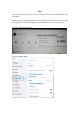
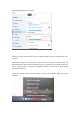
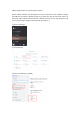

③Setting [Speakers] to 6 or above
2.There are some echoes when I have an online meeting with my colleague. How can I
avoid it?
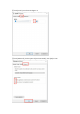
Turn off the [Listen to this device]. If you turn on the [Listen to this device], the
microphone will capture many sounds when you are speaking. So we would suggest you
turn it off when you are using the microphone. Below are the steps to Turn off the
[Listen to this device].
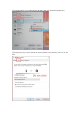
①Find the volume icon in the lower right corner of the computer, right click, select
[Sounds]