
User Manual
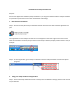

Photo/Video menu
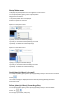
To display the photo/video menu via rightclick on the mouse :
1 In the photo/video gallery, select a photo/video.
2 Right-click the mouse.
» The photo/video menu is displayed.
3 Select an option to continue.
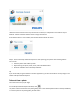
Options on the photo menu:
• *View+: To view the selected photo(s)
• *Email+: To send the selected photo(s) via email
• *Delete+: To delete the selected photo(s)
Options on the video menu :
• *Play+: To play the selected video(s)
• *Email+: To send the selected video(s) via email
• *Delete+: To delete the selected video(s)
Send photo(s)/video(s) via email
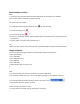
1 In the photo/video gallery, select photo(s)/video(s) that you want to send via email.
2 Click .
» An email message is displayed with the selected photo(s)/video(s) attached.
3 Send the email.
Delete photo(s)/video(s) from the gallery
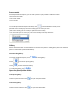
1 In the photo/video gallery, select photo(s)/video(s) that you want to delete.
2 Click “X” .
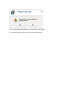
3 In the pop-up window, click [Yes].