
User's Manual
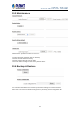
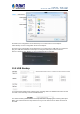

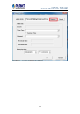
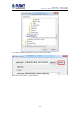
Table Of Contents
- Chapter 1. Product Introduction
- Chapter 2. Hardware Interface
- Chapter 3. Connecting to the NVR
- Chapter 4. Web-based Management
- Chapter 5. Playback Viewing
- Chapter 6. Event Viewing
- Chapter 7. NVR Setup – Device Configuration
- Chapter 8. NVR Setup -- Channel Configuration
- Chapter 9. NVR Setup -- Event Configuration
- Chapter 10. NVR Setup -- System Operations
- Chapter 11. NVR Local Interface
- 11.1 System Configuration
- 11.1.1 Service
- 11.1.2 Display
- 11.1.3 Network
- 11.1.4 User Account -- User setting
- 11.1.5 User Account -- User Group Setting
- 11.1.6 Disk
- 11.1.7 Channel Configurations -- Adding a Camera (Automatic Search)
- 11.1.8 Channel Configurations -- Adding a Camera (Add manually)
- 11.1.9 E-map
- 11.1.10 Recording
- 11.1.11 Event Setting
- 11.1.12 System Log
- 11.1.13 Maintenance
- 11.1.14 USB Backup
- 11.1 System Configuration
- Appendix A: Ping IP Address
- Appendix B: Planet DDNS Application
- Appendix C: Configuring Port Forwarding Manually

NVR-820 / NVR-1620
Network Video Recorder with HDMI
67
Next, select channels which you would like to back up the recording data from. Maximum 4
channels can be selected at once.
Configure the start and end time of the recording data you would like to back up and click the
“Backup” button to begin.
10.5.1 Things to Pay Attention to for the USB Backup
Function
Limitation:
y It does not support USB Hub that extend the number of HDDs connected to the NVR.
y Only one backup process can be performed at a time.
y Maximum 4 channels can be selected for backup.
y Only FAT32 USB hard disk is supported for backup.
y The USB hard disk needs to have more than 100MB remaining space.
y If multiple partitions are presented in one disk, only the first partition will be detected and
used for backup.
Process:
y Progress will be displayed on the UI.
y If the backup process gets interrupted, meaning the process stops before the “END Time”
user defined, such time will be displayed on the UI.
y A folder will be automatically created in the USB hard disk with a name format like
0028687831_20100610151515_2010060511 0010_20100606110010
(MAC_backupbuttonclicktime_starttime_ endtime).
Note:
y Please plug in the USB HDD only after the NVR is fully started, or the HDDs will be
incorrectly mounted.
y Play the backup files using the NVR media player.
10.5.2 Playing the Backup File with the NVR Media Player
The backup files can be played with the NVR media player. In order to do this, open the player
and select “Open” >> “Media Database”.