
CS600 User Manual
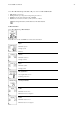
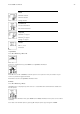
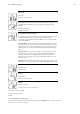
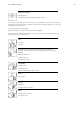
Table Of Contents
- User manual CS600
- Contents
- 1. Introduction
- 2. Cycling Computer Components
- 3. Getting Started
- 4. Prepare for Training
- 5. Training
- 6. After Training
- 7. Settings
- 8. Training Program
- 9. Tests
- 10. Using a New Accessory
- 11. Backround Information
- 12. Customer Service Information
- Index

Select File > OK > Exercise log > OK > Basic > OK, press and hold LIGHT> Add info >OK.
• Rank: Grade your exercise.
• Feeling: Evaluate your subjective feeling during the exercise.
• Temperat.: Set the temperature with UP or DOWN.
• Distance:Set the distance for Bike 1, Bike 2, Bike 3 or Other.
If you change the distance, it will effect also on the Totals distance
b. Bike information
Select File > Exercise log > Bike information.
Press OK and scroll UP and DOWN to view the bike information:
Speed
Maximum speed
Average speed
Distance
Cadence
Maximum cadence
Average cadence
Power
Maximum power
Average power
Left / right balance
Left / right balance in %
Pedalling index in %
Calories per kilometer
Incline
Maximum incline in %
Minimum incline in degrees
Decline
Maximum decline in %
Minimum decline in degrees
Polar CS600 User Manual 21