
Manual



17
Shared Lines
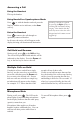
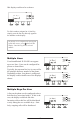
The phone supports shared lines
**
. A
shared line is indicated by a different
line icon. In the gure, the rst line is
private and the second line is shared. If
two phones share a line, an incoming call
to that number will cause both phones to
ring. The call can be answered on either
phone but not both.
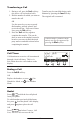
If a shared line is in use on one of the
phones, it may be unavailable on the
other one. The shared line icon changes
to a moving icon and the line LED turns
red when the line is in use remotely.
Calls on shared lines can be transferred,
put on hold, or added to a conference.
Voice Mail
**
Shared lines are an optional feature con-
gured on the server and may not be sup-
ported on your particular system. Contact
your system administrator to nd out.
Received messages will be indicated by a
ashing Message Waiting Indicator LED
on the front of the phone and optionally a
visual notication on the display.
Individual line indicators reect voice or
text messages left on that line (useful if
multiple lines are in use).
A stutter dial tone in place of normal dial
tone is used to indicate that one or more
voice messages are waiting at the message
center.
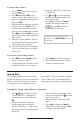
To listen to voice messages:
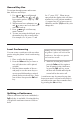
1. Press and select Message
Center
*†
.
2. (Optional) If multiple lines are in
use, select from which line messages
are to be retrieved.
3. Display indicates number of mes-
sages and their importance. Press
Connct to initiate Voice Mail retrieval
from the Message Center,
OR
Press Clear to turn off the ashing
LED without listening to messages.
4. Follow voice prompts to listen to
messages.
*
Voice Mail is an optional feature cong-
ured on the server and may not be sup-
ported on your particular system. Contact
your system administrator to nd out.
†
Screen options may vary with server-
based application.
Voice Mail can be accessed with a
single key press. Contact your system
administrator to congure this option.